

What a message template is, and when you need one
WhatsApp lets you write freely only within 24 hours of a customer's last message. After that, or to start a chat, you send a template Meta has approved.
A message template is a message you write once and Meta approves before you can send it. It can have blanks for each customer's details, a picture at the top and buttons underneath.
The 24-hour window
WhatsApp protects customers from unwanted messages with one rule:
- When a customer writes to you, a 24-hour window opens. Inside it, your team can reply with anything: text, photos, files, voice notes.
- Once 24 hours pass since the customer's last message, you can only send an approved template. When the customer replies, the window opens again.
The Inbox shows how much of the window is left on each chat. When it has closed, the message box asks you to send a template instead, and a message typed anyway is not sent.
When you need a template
- To start a conversation with someone who has not written to you, such as a new lead from your website.
- To follow up with a customer who went quiet more than a day ago.
- For every broadcast.
- In an automation that writes to a customer after a long wait, such as a reminder the next day.
The three categories
Every template has a category. Meta reviews and charges for each one differently.
- Marketing: offers, new arrivals, festive greetings, invitations. Anything that promotes your business.
- Utility: updates about something the customer already asked for or bought, such as an order confirmation, a delivery update or a payment reminder.
- Authentication: one-time codes for signing in or verifying a number. Meta writes the words.
Choose the category honestly. Meta checks it, and may move a template to Marketing if it promotes something.
Where templates live
Templates belong to a WhatsApp number. Open Channels in the left menu and click Open on a number: its templates are listed under Templates for the number's name.
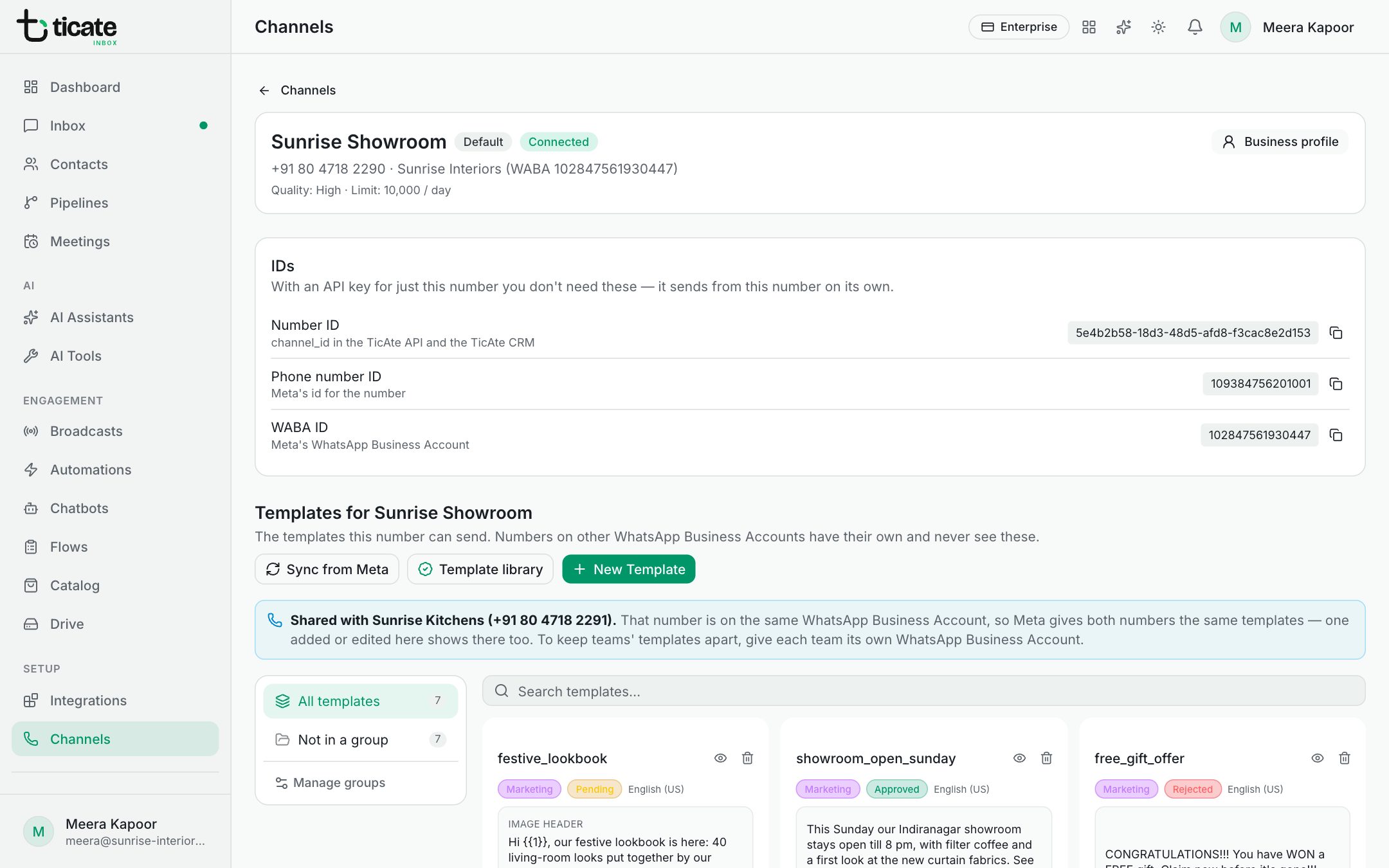
Meta approves templates for a WhatsApp Business Account, so every number on the same account can send them. The page says which numbers share them.
To create one, see Create a message template.