

Choose which numbers each person works on
Give agents and self admins the WhatsApp numbers, Instagram accounts and Facebook pages they handle, and nothing else.
When your business has more than one WhatsApp number, or an Instagram account and a Facebook page as well, you may not want everyone to see everything. A shop's sales team can work on the sales number while the service team sees only the service number.
Owners and admins always see every number. For agents and self admins, you choose. This needs the owner or admin role.
Give someone their numbers
- Open Settings and click the Team tab.
- Under Members, find the person. Beside an agent or self admin with no numbers yet, the button says Assign numbers.
- Click it. A list of your connected numbers, Instagram accounts and Facebook pages opens.
- Tick the ones this person works on.
- Click Save.
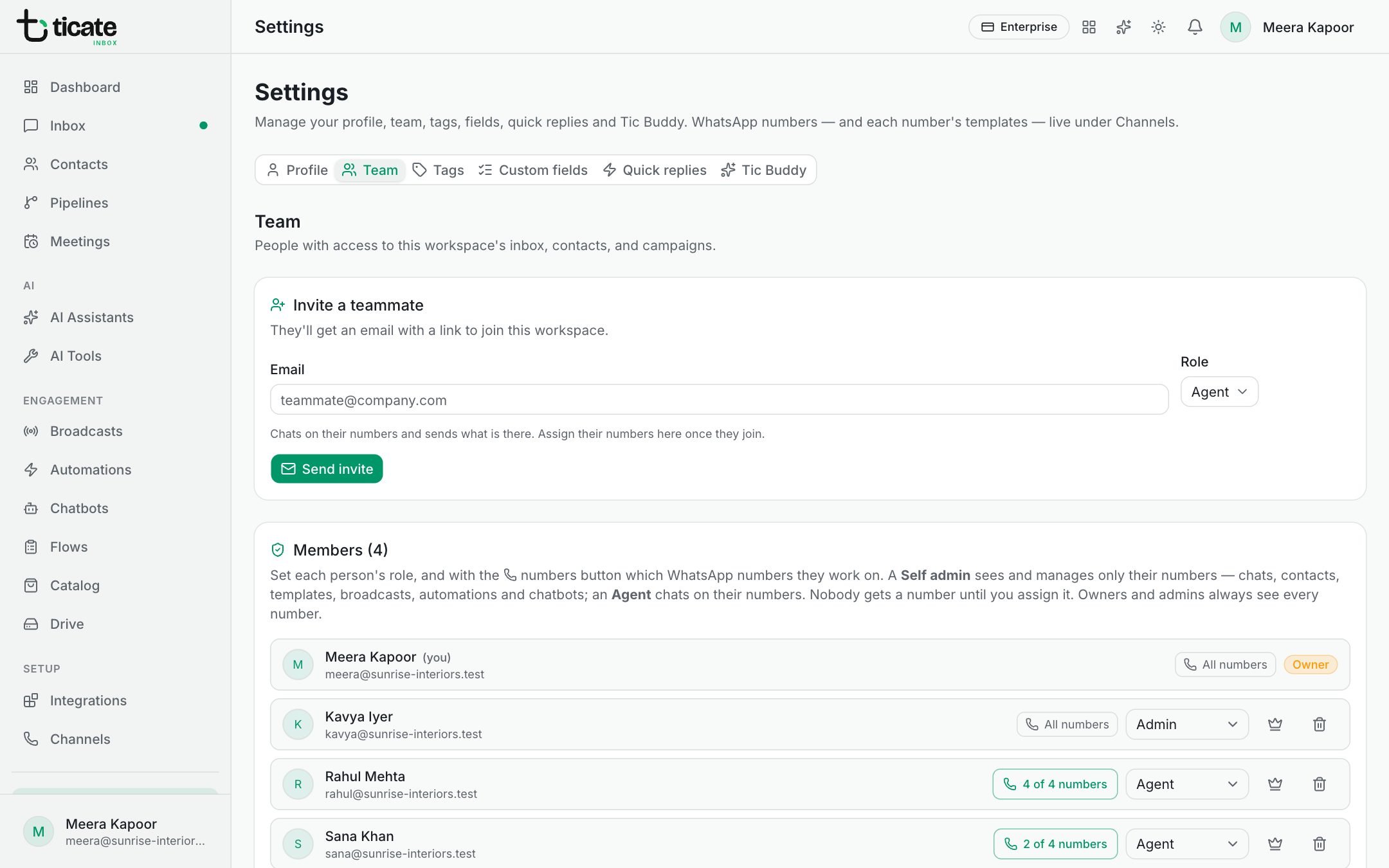
The button then shows the number's name, or how many they have, such as 2 of 3 numbers. Click it again to change the list.
What each role sees
- Agent: only the chats and contacts of their numbers.
- Self admin: their numbers' chats and contacts, and they manage those numbers' templates, broadcasts, automations and chatbots.
The dashboard follows the same rule: someone limited to certain numbers sees only their numbers' figures.
Owners and admins
Beside an owner or admin you see All numbers instead of a button. To limit an admin to certain numbers, change their role to Self admin or Agent first. See Invite your team and choose roles.
If no number is connected yet, the button reads No numbers connected. Connect one first under Channels. See Connect your WhatsApp number.