

Opening hours and away message
Let the assistant answer only at set times, or around the clock, and send an away message when it is closed.
An assistant answers around the clock unless you give it opening hours. With hours set, it replies only during them. Outside them it stays silent or sends your away message.
Some businesses want the opposite: the team answers in the day and the assistant covers nights and weekends. Set the assistant's hours to the times your team is away.
Set opening hours
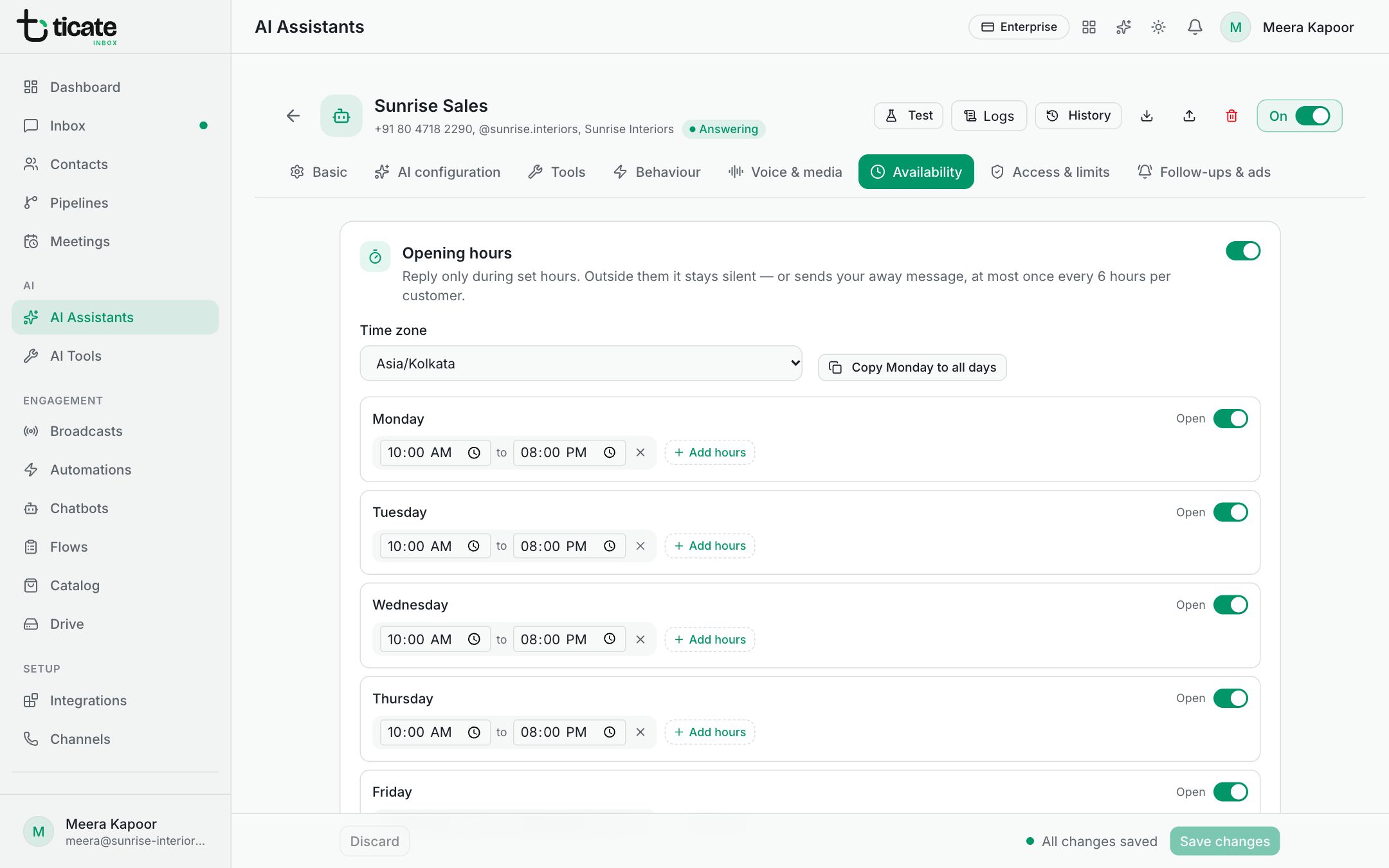
- Open AI Assistants, click Configure on the assistant, then Availability.
- Turn on the switch beside Opening hours.
- Choose your Time zone.
- For each day, turn the switch to Open or Closed.
- On an open day, set the times, such as 09:00 to 18:00. Click Add hours for a second range on the same day, for example 09:00 to 13:00 and 14:00 to 18:00 around a lunch break. A day can have up to six ranges; an open day with none is open all day.
- Click Save changes.
Copy Monday to all days gives every day Monday's hours, as a quick start.
Away message
Under Away message, write what customers get when they message outside your hours, for example "We're closed now and will reply first thing tomorrow." Leave it empty to stay silent.
The away message goes at most once every 6 hours to the same customer, so someone sending several messages at night gets it once.
Hours and follow-ups
Follow-ups use the same hours. With Only during opening hours on (it is, unless you change it), a follow-up that comes due at night waits for the next opening. Follow-ups by CRM stage are never sent outside these hours. See Follow up when a customer goes quiet.