

What the assistant remembers
How far back the assistant reads a chat, notes it keeps on returning customers, looking up older messages, and rating leads hot, warm or cold.
Before each reply, the assistant reads the chat so far. You choose how far back it reads, and whether it keeps notes on customers for later chats. These settings are under Conversation memory on the Behaviour tab.
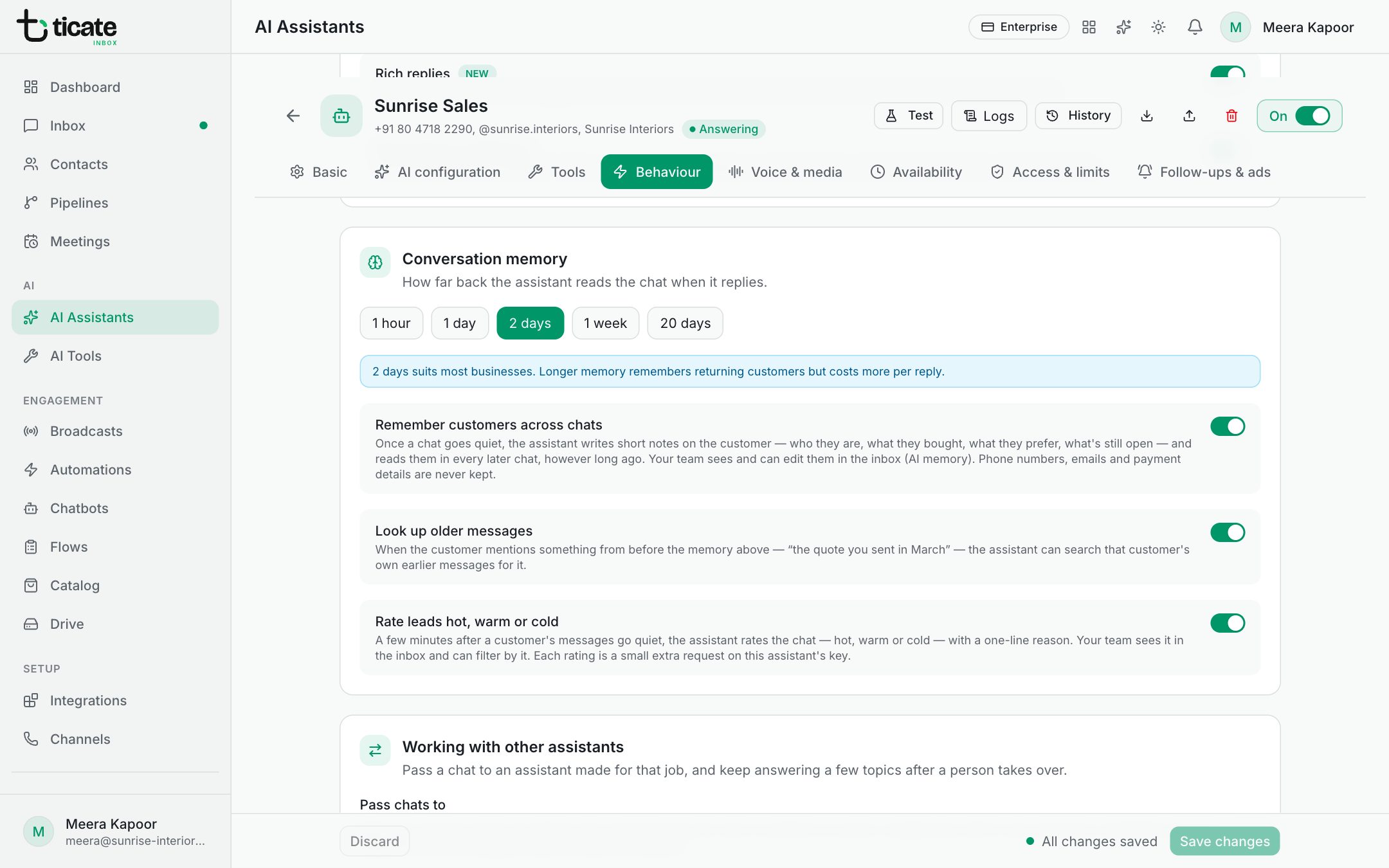
How far back it reads the chat
Choose 1 hour, 1 day, 2 days, 1 week or 20 days. Two days suits most businesses. A longer memory recognises customers who come back after a while, but each reply costs more, because the assistant reads more.
Messages remembered, on the AI configuration tab, sets the most recent messages it reads within that time.
Remember customers across chats
With Remember customers across chats on, once a chat goes quiet the assistant writes short notes on the customer: who they are, what they bought, what they prefer, and what is still open. It reads those notes in every later chat, however long ago it was.
Your team sees the notes in the inbox, under AI memory in the customer's details, and can edit or clear them. Phone numbers, email addresses and payment details are never kept in them.
Look up older messages
With Look up older messages on, when a customer mentions something from before the memory above, such as "the quote you sent in March", the assistant can search that customer's own earlier messages for it. It never sees other customers' chats.
Rate leads hot, warm or cold
With Rate leads hot, warm or cold on, a few minutes after a customer's messages go quiet, the assistant rates the chat with a one-line reason. Your team sees the rating in the inbox and can filter chats by it.
Each rating, like each memory note, is a small extra request on the assistant's key, and shows in its logs.
Click Save changes after any change.