

Connect WooCommerce
List your WooCommerce products in WhatsApp, turn carts into store orders, and keep customers updated on WhatsApp as orders move.
With your WooCommerce store connected, customers browse your products and variations in WhatsApp and send a cart. The cart becomes a WooCommerce order, with a link to pay or as cash on delivery, and the customer hears on WhatsApp as the order moves along, for website orders too.
Setting it up needs the owner or admin role here, and an administrator in WordPress. The integration is marked Beta.
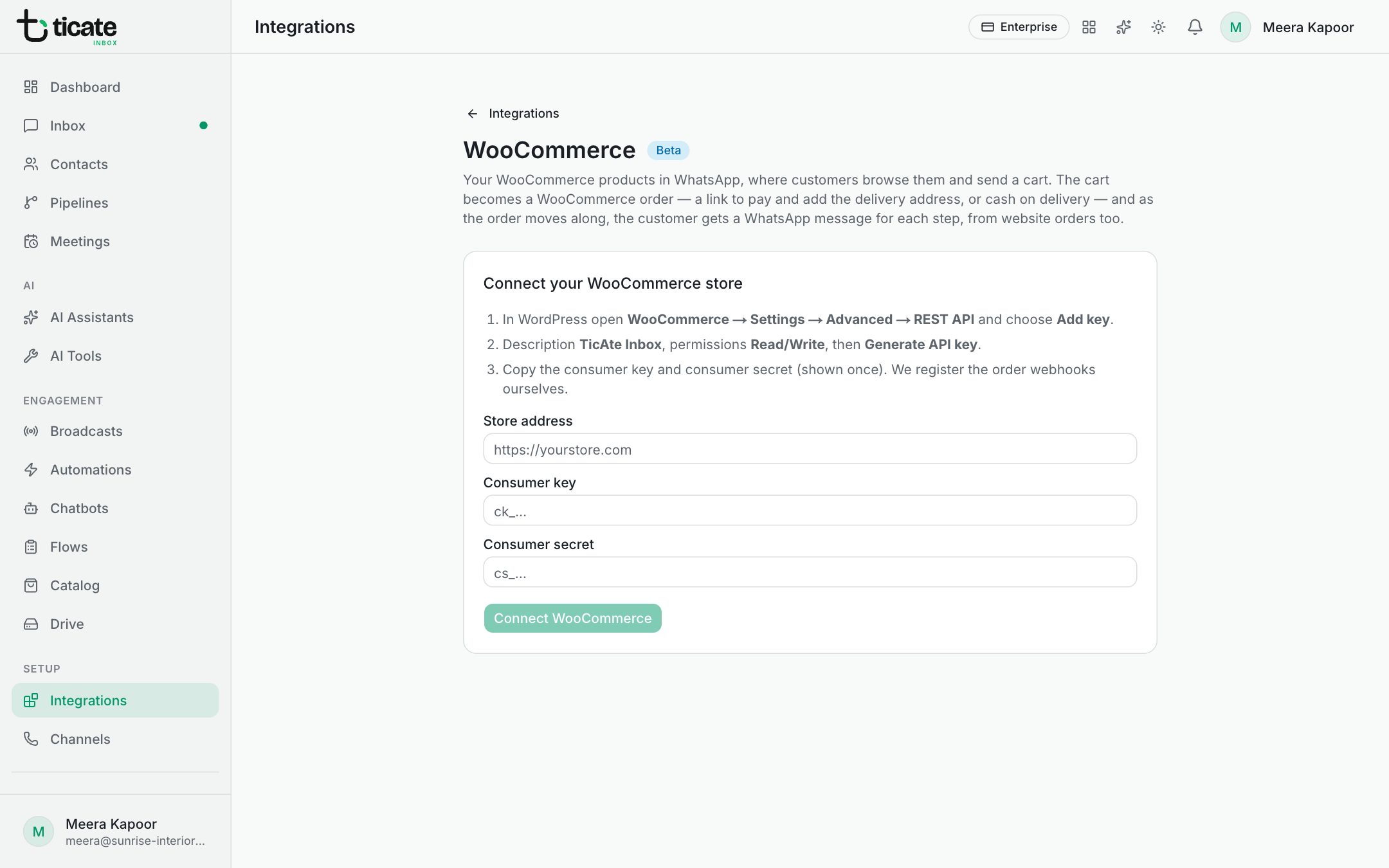
Connect your store
- In WordPress, open WooCommerce → Settings → Advanced → REST API and choose Add key.
- Give it the description "TicAte Inbox", set permissions to Read/Write, and click Generate API key.
- Copy the consumer key and consumer secret. They are shown once.
- In TicAte, open Integrations and click Set up on WooCommerce.
- Fill in your Store address (such as https://yourstore.com), the Consumer key and the Consumer secret, and click Connect WooCommerce.
TicAte registers the order webhooks in your store itself.
Put your products in WhatsApp
Under Products in WhatsApp, choose the WhatsApp catalog they go into; create one first if you have none. New and changed products follow on their own, and Sync now runs a full sync. Up to 1,000 products and variations are listed.
When a customer sends a cart
Choose one. It is saved with the Save button under Order updates on WhatsApp, just below.
- Send a checkout link: the customer gets a link to pay for the order. WooCommerce's payment page does not ask for an address, so collect it in the chat if you need it.
- Place it as cash on delivery: the order goes straight into WooCommerce, to be paid on delivery.
- Don't create store orders: carts stay in TicAte for your team. See Orders from WhatsApp.
Order updates on WhatsApp
Each step sends an approved template of category Utility.
- Under Order updates on WhatsApp, choose Send from and the Country code for local numbers.
- Switch on the steps you want: Order placed, Payment received, Shipped, Delivered, Cancelled.
- For each, choose the template and what fills each value, such as Customer name, Order number, Total or Tracking number. Tracking numbers come from the common shipment-tracking plugins.
- Click Save.
Recent order updates shows each message and whether it went.
Customers whose payment drops can get a reminder with a link to pay; see Abandoned cart reminders.
Disconnect
Disconnect stops carts becoming WooCommerce orders and stops order updates. Products already in your WhatsApp catalog stay there.