

Answer customers who came from an ad or post
The assistant reads the ad or post a chat came from and answers about that offer, with a button for customers who want to see your other products.
Someone who taps your ad, on WhatsApp, Instagram or Messenger, or comments on your post, came for that product or offer. When they write "Hi" or "Details?", the assistant should talk about that offer, not list everything you sell.
These settings are under Customers from ads and posts on the Follow-ups & ads tab.
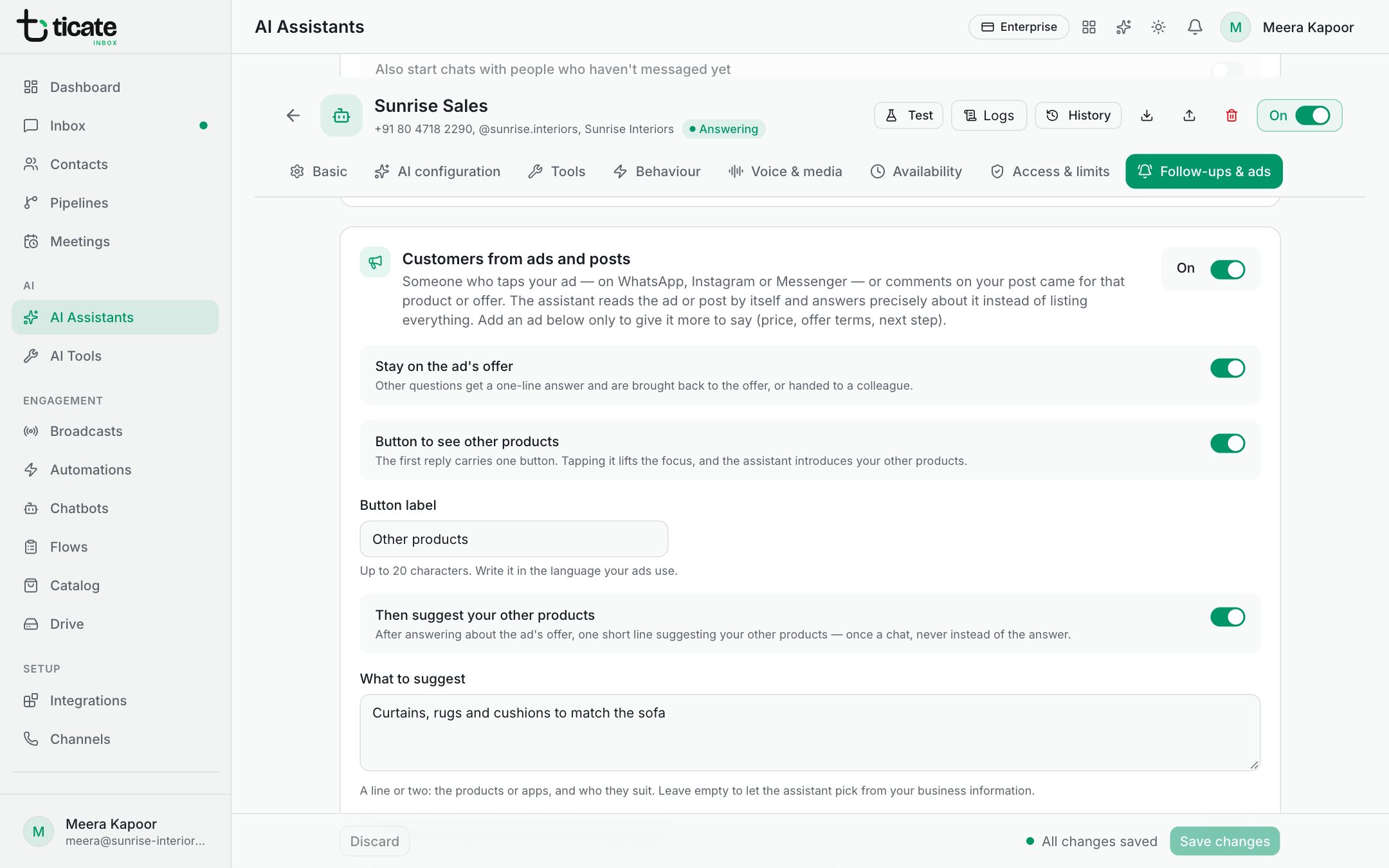
Switch it on
- Turn on On beside Customers from ads and posts.
- Click Save changes.
That is enough to start. The assistant reads the ad's headline and text, or the post and the customer's comment on it, and answers precisely about it: its price, the offer and the next step, from the ad and your business knowledge.
Choose how it behaves
- Stay on the ad's offer: other questions get a one-line answer and the chat is brought back to the offer, or handed to a colleague.
- Button to see other products: the first reply carries one button. When the customer taps it, the focus lifts and the assistant introduces your other products. Set the Button label, up to 20 characters, in the language your ads use.
- Then suggest your other products: after answering about the offer, one short line suggesting your other products, once a chat. Under What to suggest, name them and who they suit, or leave it empty to let the assistant pick from your business knowledge.
- Use the ad's own text for ads not listed below: an ad or post you haven't added still steers the chat, using its own words.
- Focus lasts: how many days after the ad tap the assistant keeps to the offer (7 to start with).
Tell it more about an ad
An ad's text is short. To give the assistant the full price, offer terms or next step:
- Under Your ads, click Add an ad.
- Fill in Product or offer, for example "Modular kitchen, 20% festive offer".
- To match the ad, enter its Ad IDs from Meta Ads Manager, separated by commas, or under Or words in the ad, a few words from its headline or text.
- Under What to say about it, add the price, what's included, when the offer ends, the next step (a visit, a call, a payment link) and questions to ask.
- Click Save changes.
Ads customers came from recently lists the ads chats arrived from in the last 90 days, with how many chats each brought. Click Add beside one to start an entry for it.