

Pass a chat to another assistant
Let assistants hand chats to one made for the job, give a chat to an assistant from the inbox or an automation, and keep answering a few topics after a person takes over.
One assistant doesn't have to do everything. A sales assistant can pass a customer who has bought to an after-sales assistant, which answers with its own instructions, knowledge and tools.
Let an assistant pass chats on
- Open the assistant, then Behaviour.
- Under Working with other assistants, in Pass chats to, choose an assistant from + Add an assistant…. You can add up to five.
- Beside it, say when to pass, for example "the customer has bought and needs help with delivery, installation or a complaint".
- Click Save changes.
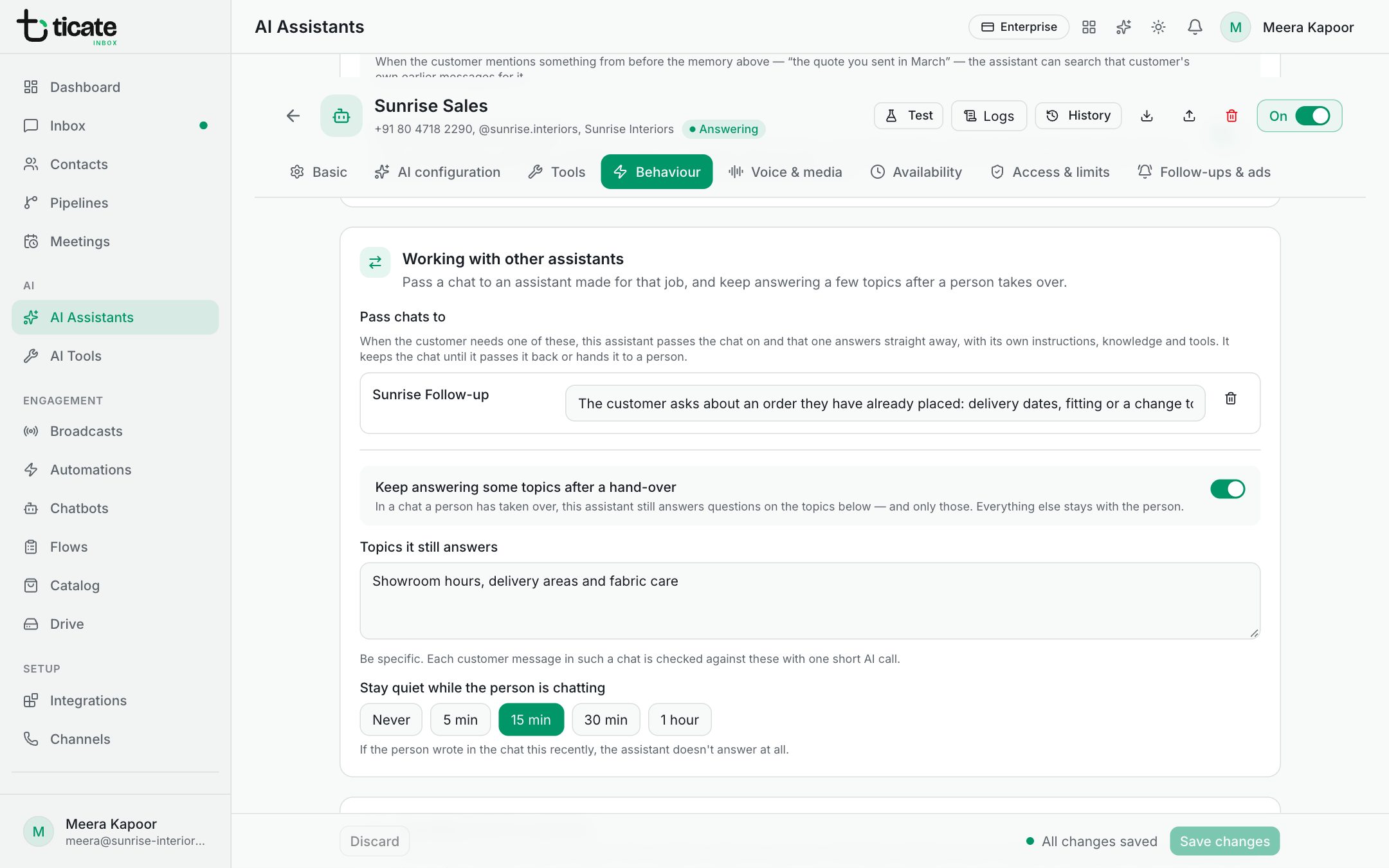
When a customer needs that, the chat passes and the other assistant answers straight away. It keeps the chat until it passes it back, hands it to a person, or a week goes by without its replies.
An assistant switched off under Available to automations and chatbots is never passed chats.
Assistants on call
An assistant that doesn't answer new chats by itself (with Answer incoming chats by itself off) can still take a chat it is given. Give it no channels to let it work on any number, or choose the numbers it may work on.
Ways to give it a chat:
- From the inbox: click the AI button in the chat header and choose Give to and the assistant's name. Back to the number's assistant returns the chat.
- From an automation: add the step Give the chat to an AI assistant and choose the AI assistant. Tick Also reply now, to the message that started this to have it answer at once; otherwise it answers the customer's next message. See Automations.
- From your own software: when you send a message through the API, you can name the assistant that answers the customer's reply. See API & webhooks.
The step Reply with AI assistant is different: the assistant answers at that point in the automation, but doesn't take over the chat.
Keep answering some topics after a hand-over
Once a person has taken over a chat, the assistant normally stays out. To let it still answer a few simple questions, such as order status or payment links:
- Turn on Keep answering some topics after a hand-over.
- In Topics it still answers, list them. Be specific.
- Under Stay quiet while the person is chatting, choose how long after the person's last message it holds back: Never, 5 min, 15 min, 30 min or 1 hour.
- Click Save changes.
Each customer message in such a chat is checked against your topics with one short AI call. Everything else stays with the person. It works only on the channels chosen under Basic → Channels, and never in a chat your team paused from the inbox or with the switch off command.