

Webhooks
Have TicAte tell your other software the moment a message arrives, a message is delivered, an order comes in or a template is approved.
A webhook is an address in your other software that TicAte calls the moment something happens, such as a customer sending a message. It is how a CRM, a spreadsheet tool or your own system hears about new chats without asking every few minutes.
The owner can always manage webhooks. The owner chooses whether admins and self admins may too, under Settings → Team, in the Workspace box, at Who can manage webhooks. A self admin can only choose the numbers they run, and finds the page under Webhooks in the left menu. Owners and admins open Integrations, then Open on API & Webhooks.
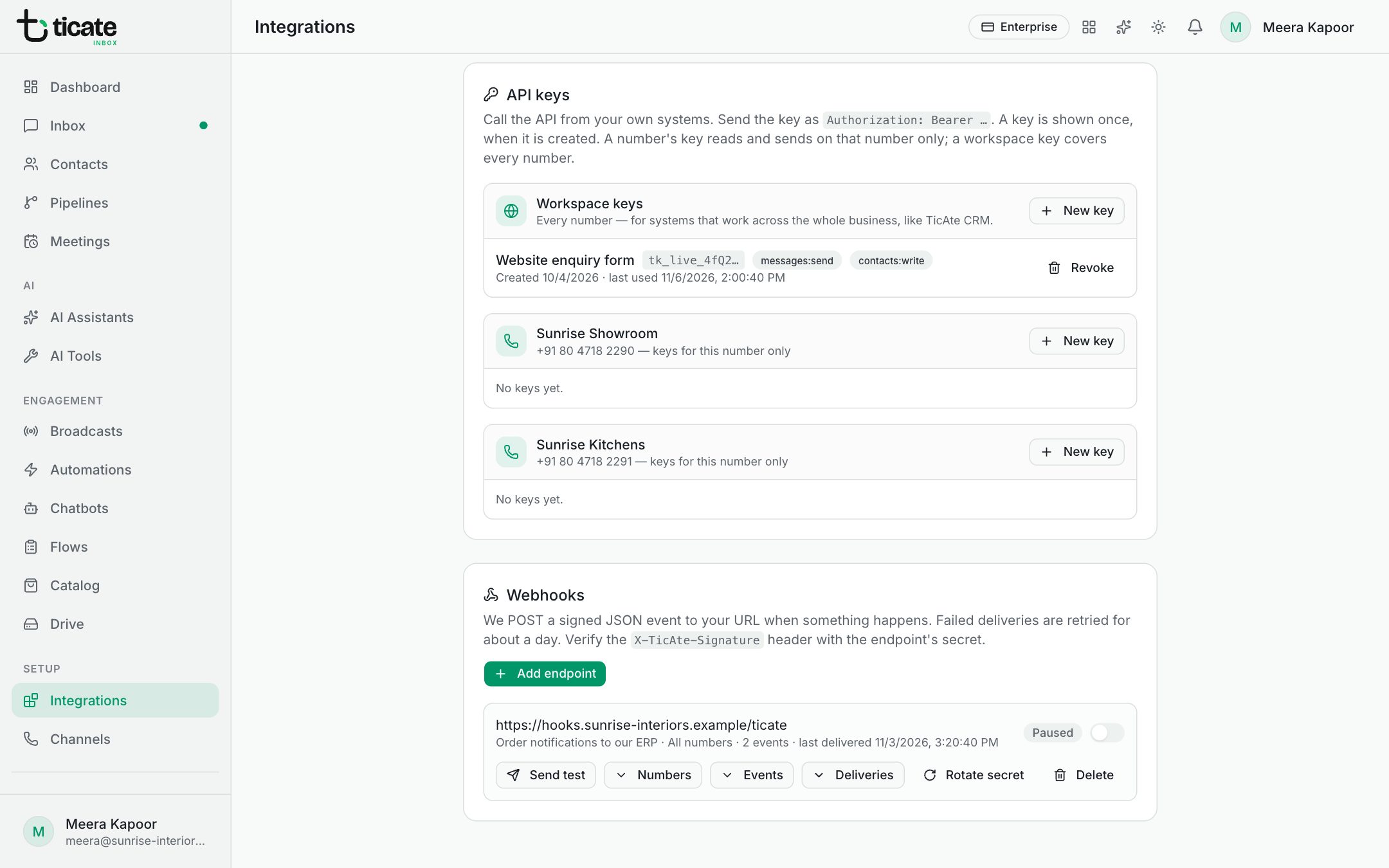
Add a webhook
- Under Webhooks, click Add endpoint.
- Paste the address into URL, and add a Description (optional).
- Under Numbers, keep All numbers (including ones added later) or choose Only some numbers.
- Under Events, tick what to send. All are ticked to start with; Clear and Select all help.
- Click Add endpoint.
- Copy the Signing secret it shows. It is shown once; the receiving software uses it to check each call really came from TicAte.
The events
- message.received: a customer sent a message.
- message.sent: a message went out, from the inbox, an automation, a broadcast, Bitrix24 or the API.
- message.status: WhatsApp reported a message delivered, read or failed.
- conversation.created and conversation.updated: a chat was opened, or its status, assignment or latest message changed.
- contact.created and contact.updated: a contact was added or changed.
- order.placed: a customer sent a cart, or ordered through a form.
- template.status_changed: Meta approved, rejected or paused a template.
- flow.completed: a customer submitted a WhatsApp form.
Is it working?
Each webhook shows Active or Paused (the switch beside it), its numbers and events, and when it last delivered. Failures in a row are shown in red with the reason.
- Send test sends a test call and tells you what your address answered.
- Deliveries lists recent calls. Payload shows what was sent, and Retry now sends a failed one again.
- Numbers and Events change what it covers.
A call that fails is tried again for about a day. The receiving software should answer straight away and do any slow work afterwards.
Rotate secret makes a new signing secret; the old one stops working at once, so update the receiving software straight after. Delete removes the webhook and its delivery history.
For developers
Each call is a signed JSON event; verify the signature header with the endpoint's secret before trusting it. API reference, at the top of the page, describes the format and how to check the signature.