

Send WhatsApp templates from TicAte CRM
Send an approved WhatsApp template from a CRM automation, a record's chat or a campaign, with the customer's details filled in.
WhatsApp only lets a business write first, or write after 24 hours of silence, with an approved message template. In TicAte CRM, a record's WhatsApp tab offers your templates. Anywhere else in the CRM that sends a WhatsApp message, such as an automation's Send WhatsApp step or a WhatsApp campaign written as text, you type a short block that names the template.
You need TicAte CRM connected first.
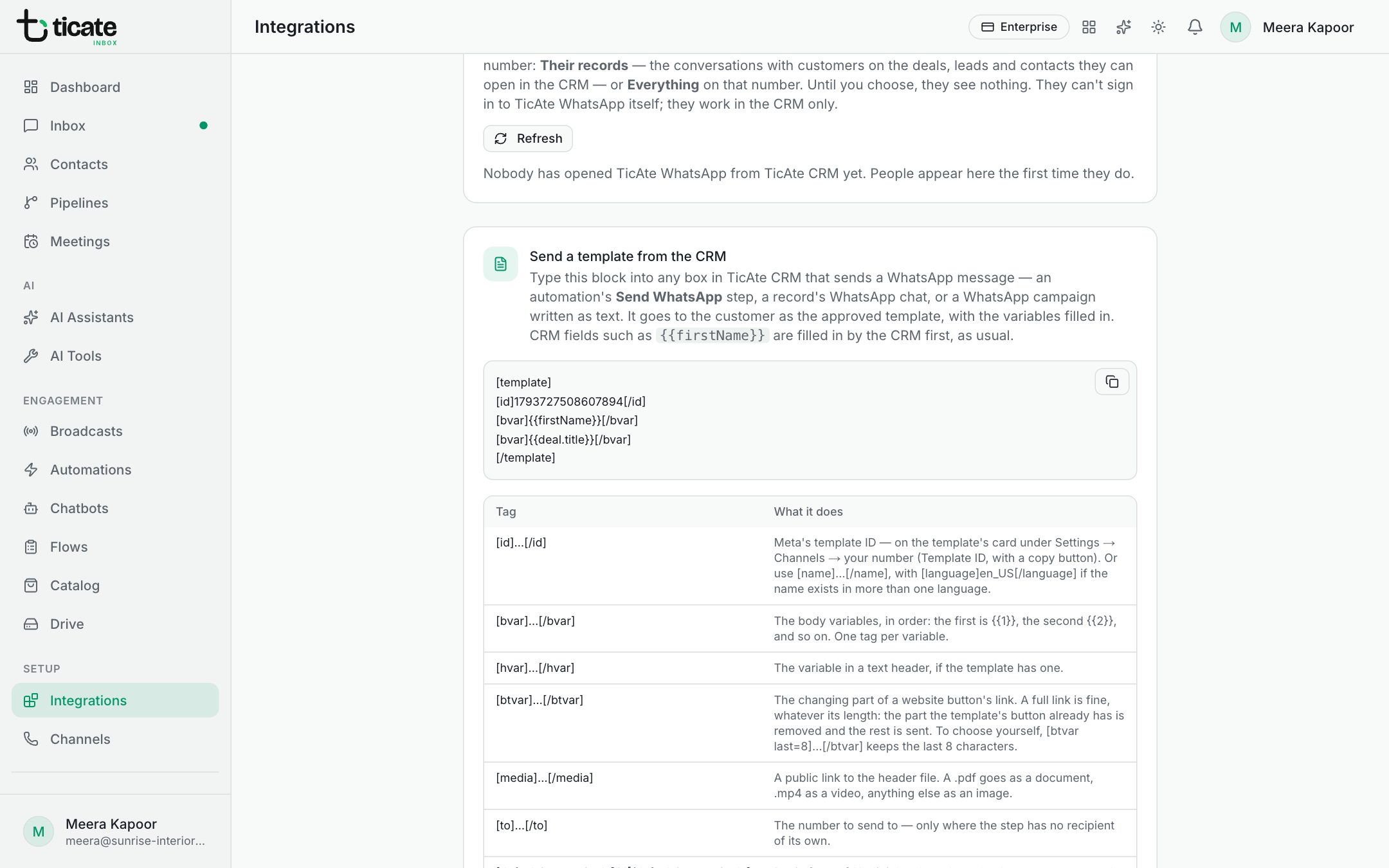
The block
The TicAte CRM page, under Integrations, shows the block with a copy button. It looks like this:
[template]
[id]1793727508607894[/id]
[bvar]{{firstName}}[/bvar]
[bvar]{{deal.title}}[/bvar]
[/template]
- [id]: the template's ID. Find it on the template's card: open Channels, click Open beside your number, and copy the Template ID. You can use the template's name instead, with [name], and add [language] if the name exists in more than one language.
- [bvar]: one for each variable in the template's text, in order. The first fills {{1}}, the second {{2}}, and so on. CRM fields such as {{firstName}} are filled in by the CRM first, as usual.
- [hvar]: the variable in a text header, if the template has one.
- [btvar]: the changing part of a website button's link. A full link is fine.
- [media]: a public link to the header file, for templates with a picture, video or document header.
- [defaultCountryCode]: put in front of 10-digit local numbers that have no country code, such as 91.
Good to know
- Only approved templates can be sent. A template made or changed in WhatsApp Manager appears once you press Sync from Meta on your number's templates.
- Give exactly as many [bvar] as the template has variables.
- A wrong ID is refused with a reason rather than sent, so the customer never sees the block.
- A message without the block is sent as ordinary text, which only works within 24 hours of the customer writing to you.
- The same block works from Bitrix24 and from your own software through the API.