

Several numbers and the default number
Run more than one WhatsApp number in one workspace, name each one, and choose the number TicAte uses when nobody picks one.
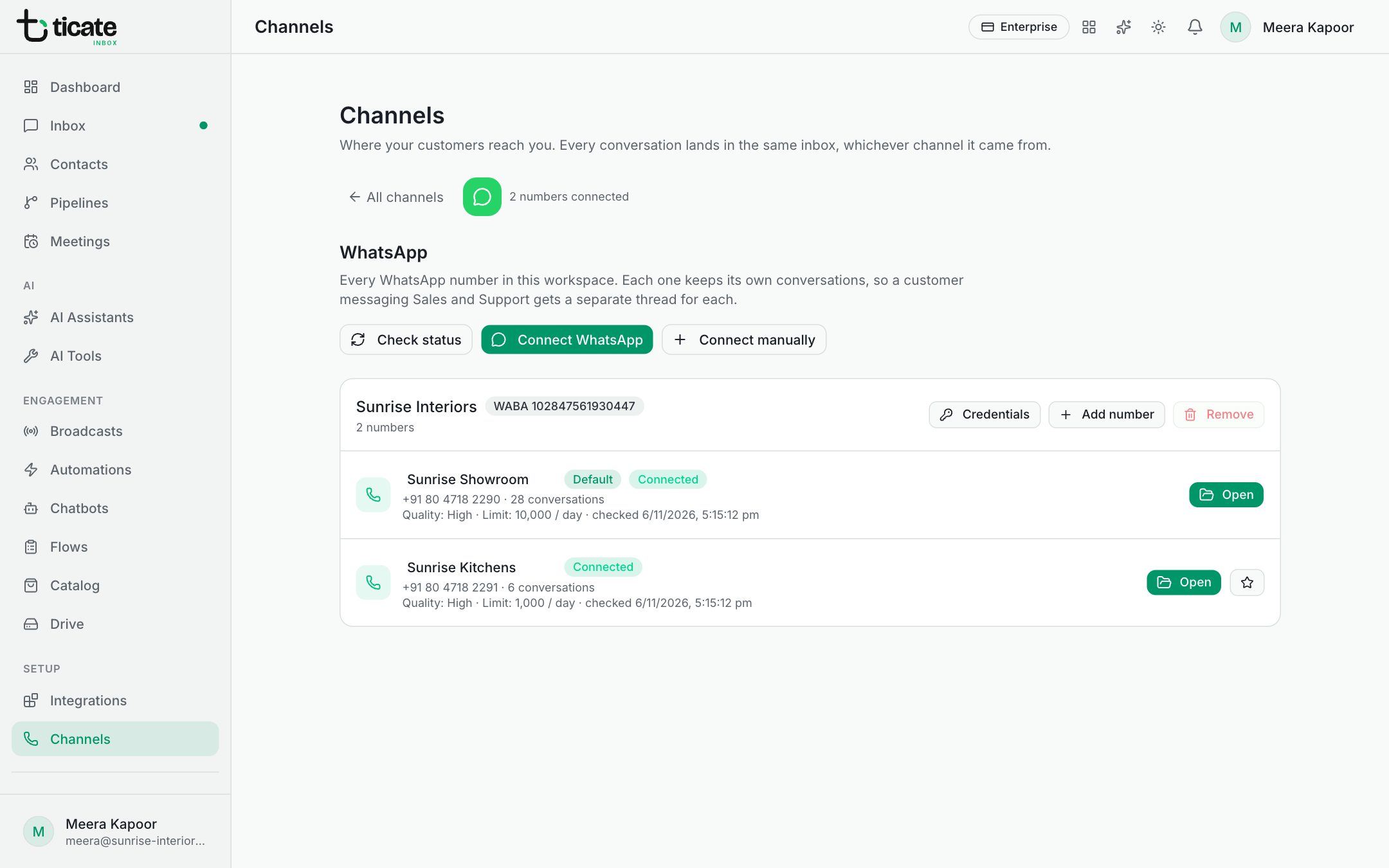
One workspace can hold several WhatsApp numbers, say one for Sales and one for Support. Each number keeps its own conversations, so a customer who messages both gets a separate thread with each, and your whole team works them from one inbox.
Adding, naming and choosing the default number needs the owner or admin role. How many numbers you can have depends on your plan.
Add another number
Click Connect WhatsApp again and choose the next number in Meta's window, as in Connect your WhatsApp number. Numbers on the same WhatsApp Business Account are listed together, under the account's name.
Name each number
Under Channels, click the WhatsApp card. Each number's name is shown beside its icon. Click the name, type a new one, such as "Sales" or "Support", and click away; it saves by itself. The name is what your team sees in the inbox and when choosing a number to send from. Customers never see it.
Choose the default number
The default number is used whenever a message goes out without a number being chosen: for example a message another app sends through the API without naming a number, or a store's order updates left on Default number. It carries the label Default.
To change it, click the star button beside the number you want (Use this number when a send does not specify one). A message confirms the new default.
What each number shows
Each number's row shows:
- its phone number and how many conversations it has;
- Connected or Disconnected, and Sending blocked by Meta when that applies;
- its Quality and messaging Limit as reported by Meta, and when it was last checked;
- Open, which leads to the number's own page: its templates, business profile, IDs, and the options to move or remove it.
Connect manually
Connect manually and Add number are for businesses that run their own Meta app and want to paste its access details themselves. Most businesses never need them: Connect WhatsApp sets everything up for you.