

API keys and the API
Make an API key so your own software can send WhatsApp messages and templates, read your chats, and hand a customer's reply to an AI assistant.
The API lets your own software work with TicAte: a booking system that sends a reminder, a website that sends an order confirmation, or a tool a developer builds for you. Each piece of software gets its own API key.
Making and revoking keys needs the owner or admin role. Open Integrations and click Open on API & Webhooks.
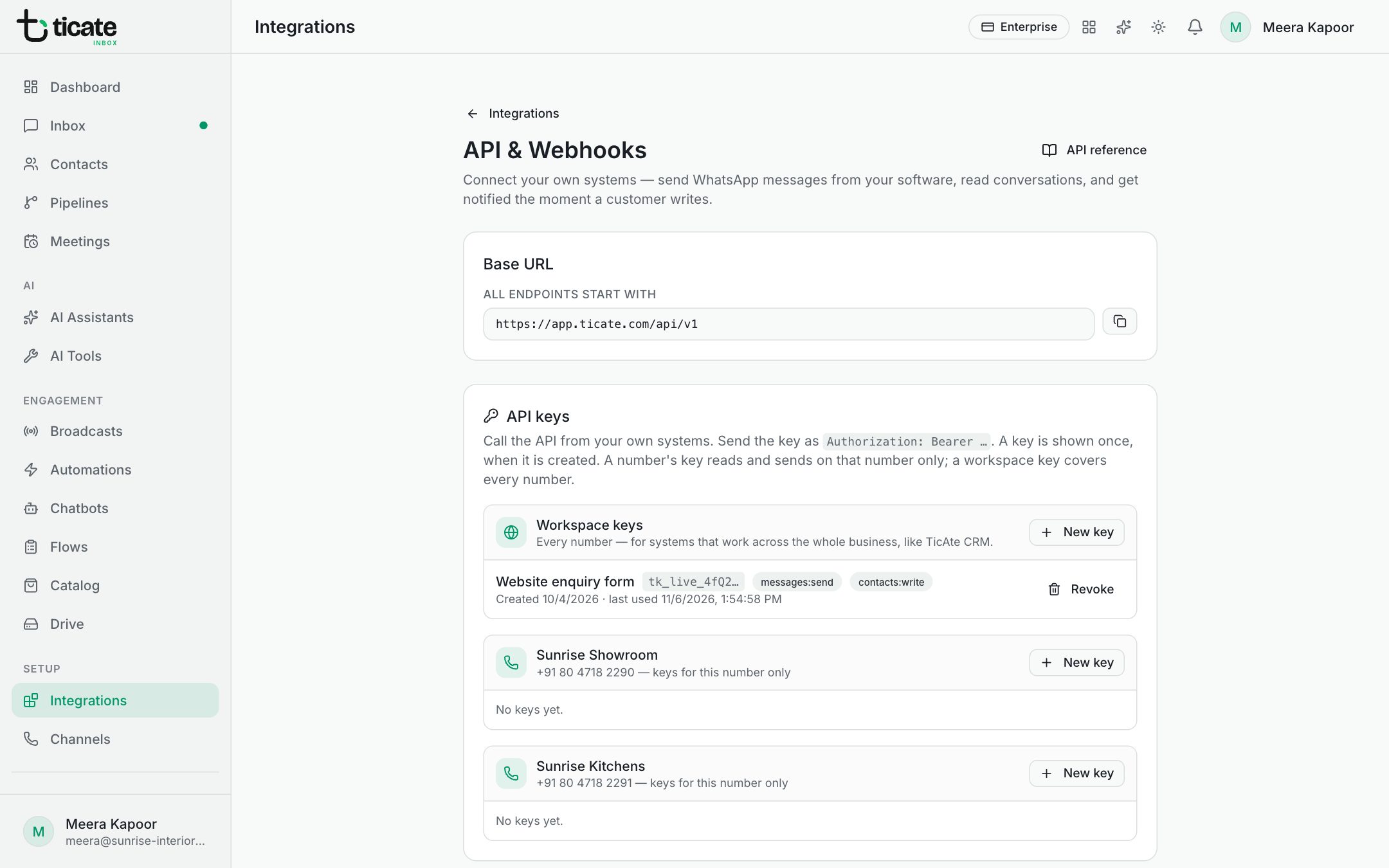
Make a key
Keys are grouped. Workspace keys cover every number, for software that works across the whole business. Below them, each number has its own group: a key made there reads and sends on that number only, so the software never needs to say which number to use.
- Click New key in the group you want.
- Give it a Name you will recognise, such as "Booking reminders".
- Under Scopes, keep Read (contacts, conversations, messages, templates) and Write (send messages, create and update contacts), or untick the one it does not need.
- Click Create key.
- Copy the key now and keep it safe, for example in your password manager. It is shown once.
Each key shows when it was created and when it was last used, or never used. Revoke stops it at once; anything using it stops working. Give each tool its own key, so you can revoke one without stopping the others.
What the API can do
In plain words, your software can:
- Send a message to a phone number: text, a picture, video, audio or a document. TicAte creates the contact and the chat if they are new.
- Send a template, filling in its variables. Outside the 24 hours after the customer's last message, only an approved template can be sent.
- List and create templates, and submit them to Meta for approval.
- Read contacts, conversations and message history, and reply in Instagram and Messenger chats.
- Send products, forms and Drive files, and open the inbox inside your own CRM.
Hand the reply to an AI assistant
When your software sends a message, it can name one of your AI assistants. The assistant then takes the chat and answers the customer's reply, even an assistant that does not answer new chats on its own. It keeps the chat until it passes it on, hands it to a person, or a week goes by without its replies. This suits a webinar invitation or a payment reminder, where the follow-up questions are predictable.
For developers
Every call starts with the Base URL shown on the page and carries the key in the authorization header. Click API reference at the top of the page for every call, with examples. To be told the moment something happens, add a webhook.