

Webmail overview
Read and answer your business email inside the CRM, with every mail filed on the customer it is about.
Webmail puts your own mail account inside the CRM. You send from a lead, deal or contact, and what customers write back lands on their record. Reading a mail is reading the customer's history.
Webmail works with the account you already have: Gmail, Outlook, Zoho or your own domain. Before you start, add it as a mailbox. See Add your mailbox.
Find your way around
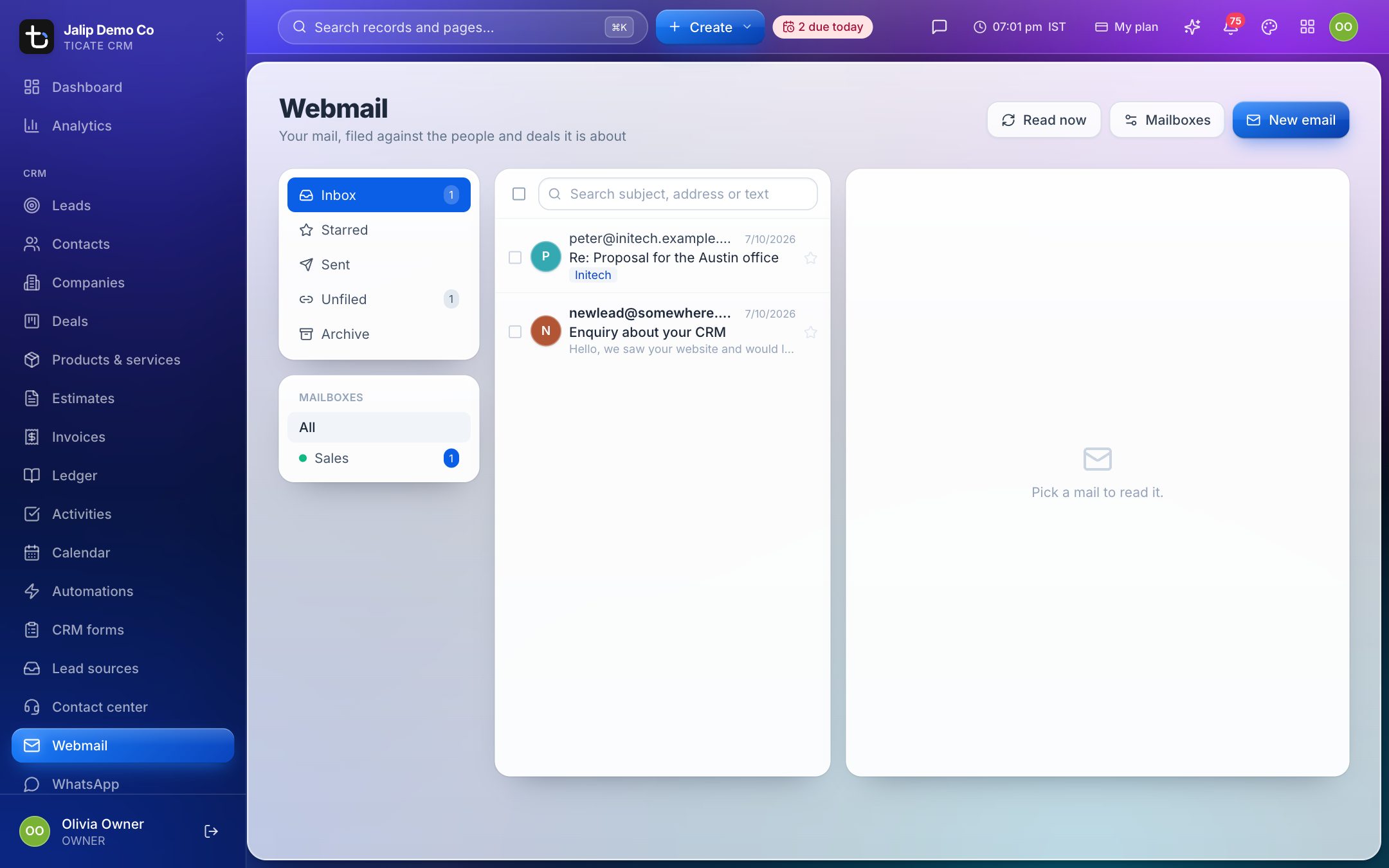
Open Webmail in the left menu. The screen has three parts:
- Left: folders and mailboxes. Inbox, Starred, Sent, Unfiled and Archive, then your mailboxes. Pick All or one mailbox. A mailbox with extra folders chosen in its settings shows them under its name when you pick it.
- Middle: the list. Unread mail is in bold. A coloured tag shows the record a mail is filed under. Search with Search subject, address or text.
- Right: the open mail. The message, its attachments and the rest of the thread.
The dot beside a mailbox is green when it is reading mail, red when something is wrong, and grey when it only sends.
New mail is read every few minutes. Press Read now at the top to check straight away.
Read and answer a mail
- Click a mail in the list.
- Press Reply or Forward at the bottom. The reply keeps the thread and stays filed on the same record.
- Write your message and send it.
Press New email at the top to write a new one.
The buttons at the top of an open mail Star it, Mark as unread, Archive it or close it. To act on many at once, tick them in the list and use Read, Unread, Star or Archive.
File a mail on the right record
Most mail is filed by itself when it arrives, by the sender's address. When it is not, it waits in Unfiled.
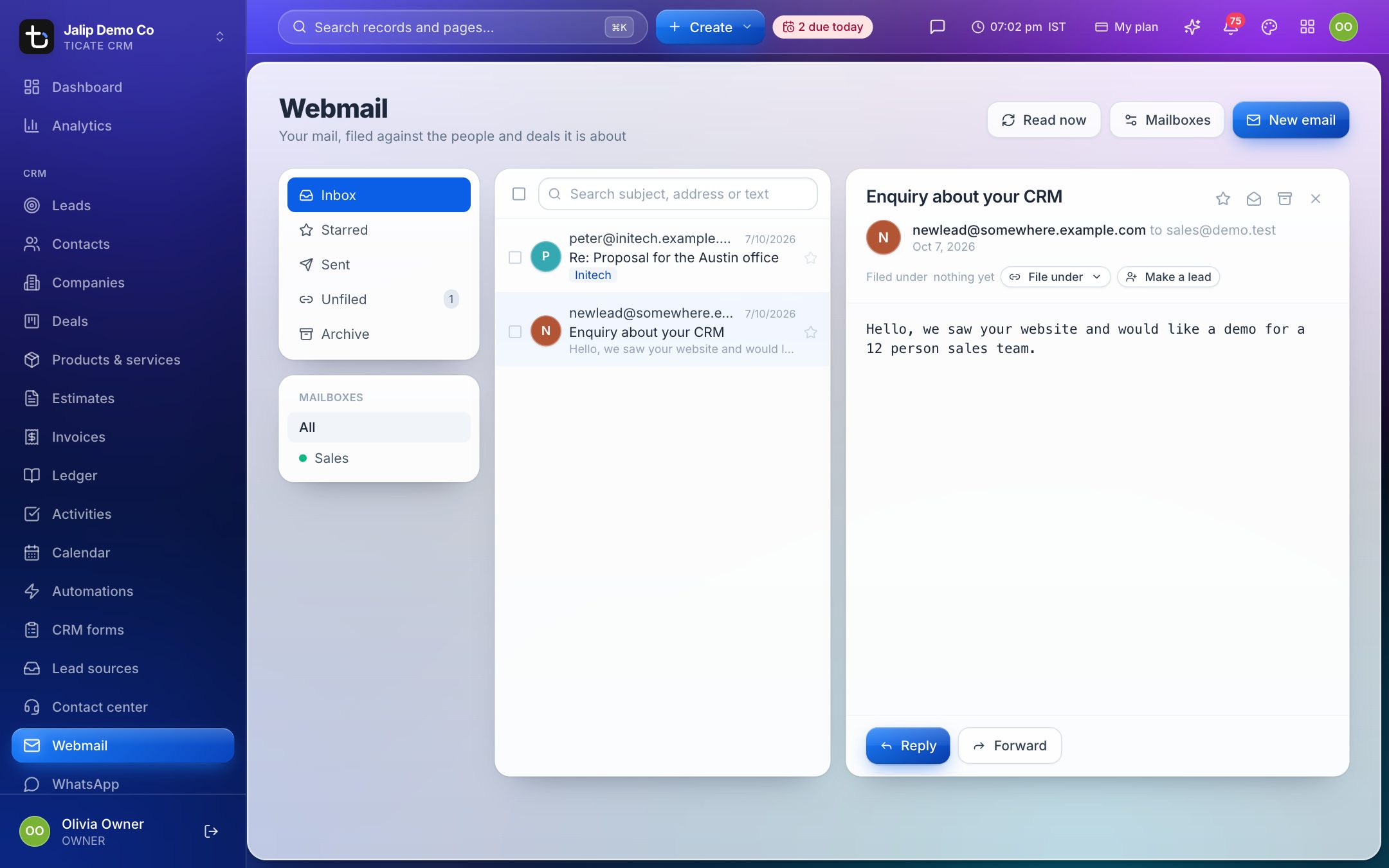
Under the subject, Filed under shows where the mail is. To change it:
- Press File under and pick a deal, contact, company or lead.
- Press Make a lead to turn a mail from someone new into a lead.
Who sees which mail
You see the mail of your own mailboxes and of mailboxes shared with you. Owners and admins see every mailbox in the workspace, and can share one with chosen people or with everyone, for example a common sales address.